
AI agents for business are systems that decide their own steps rather than following a fixed script. That autonomy is worth paying for on open-ended work, and a liability on routine work — which is most of what a small business does. The practical rule: use a fixed workflow until you can name the decision the agent needs to make.
What is an AI agent, and how is it different from a workflow?
The distinction is who chooses the steps. Anthropic’s engineering team draws the line clearly: workflows orchestrate models through predefined code paths, while agents let the model direct its own process and tool use.
That sounds academic until you price it. A workflow that reads an invoice, extracts four fields and writes them to Xero does the same eight things in the same order every time. It costs the same every run, takes the same time, and when it breaks it breaks loudly — the run fails and you get an alert.
An agent given the same job decides for itself: which records to check, whether to look for a duplicate, when the task is done. Cost and duration vary per run. When it fails it can fail silently, returning something plausible and wrong.
Neither is better. They answer different questions. The workflow answers “do these steps”; the agent answers “achieve this outcome, figure out how”.
When is an AI agent worth the cost?
Autonomy earns its cost when you genuinely cannot write the steps in advance. Anthropic’s guidance is to start simple and add autonomy only when measurement shows the simpler approach falling short — advice that applies with more force to a ten-person company than to a software team, because you have fewer people to notice when it goes wrong.
Three conditions have to hold together:
- The input varies more than a rule can cover. Twelve suppliers, twelve invoice layouts, none of them stable.
- The output is checkable. You can tell whether the answer is right without redoing the work yourself.
- A wrong answer is visible, not silent. It shows up in a review queue rather than quietly landing in your accounts.
Fail the third condition and stop. An agent that silently mis-files one invoice in fifty is worse than no automation at all, because you will find out three months later during a reconciliation.
What do AI agents actually cost to run?
Model usage is cheaper than most owners expect, and the model bill is rarely the expensive part. Pricing is per token — roughly per word — and split between what the model reads and what it writes. Anthropic’s published rates for Claude run from $1 per million input tokens and $5 per million output on the fastest tier up to $5 and $25 on the most capable; other providers price comparably.
Work it through on a real task. Say you triage inbound email: read each message, classify it by intent, write a one-line summary. That is roughly 800 tokens in and 150 out per email.
| Volume | Input cost | Output cost | Total |
|---|---|---|---|
| 100 emails | $0.08 | $0.08 | ~$0.16 |
| 1,000 emails | $0.80 | $0.75 | ~$1.55 |
| 10,000 emails | $8.00 | $7.50 | ~$15.50 |
Under two pounds per thousand emails. At that price the API bill is not the thing to worry about.
The costs that matter are elsewhere: the build, the supervision, and the errors. A small business that spends £4,000 having an agent built to save £200 a month of admin has made a two-year bet on a technology that changes every quarter. Cheap tokens do not rescue bad arithmetic on the build.
One caveat worth pricing in: the most capable model tier costs roughly five times the fastest one. Classification, extraction and summarising rarely need the expensive tier — matching the model to the job is usually the single biggest cost lever available, and it is a setting, not a rebuild.
Which business tasks suit an agent, and which don’t?
Agents fit where the input is messy and the output is verifiable. Everything else should stay deterministic.
| Task | Agent or workflow | Why |
|---|---|---|
| Reading invoices from 12 different suppliers | Agent step | Layout differs per supplier; no rule holds |
| Classifying inbound email by intent | Agent step | Language varies infinitely; intent is checkable |
| Pulling figures from inconsistent PDFs | Agent step | Structure is unreliable |
| Drafting a first-pass reply for human review | Agent step | Output is reviewed before it goes out |
| Moving a form submission into HubSpot | Workflow | Fixed fields, fixed destination |
| Posting a Slack alert when a payment fails | Workflow | One trigger, one action |
| Sending a scheduled report every Monday | Workflow | Nothing to decide |
| Approving a refund above £500 | Neither | Needs a person |
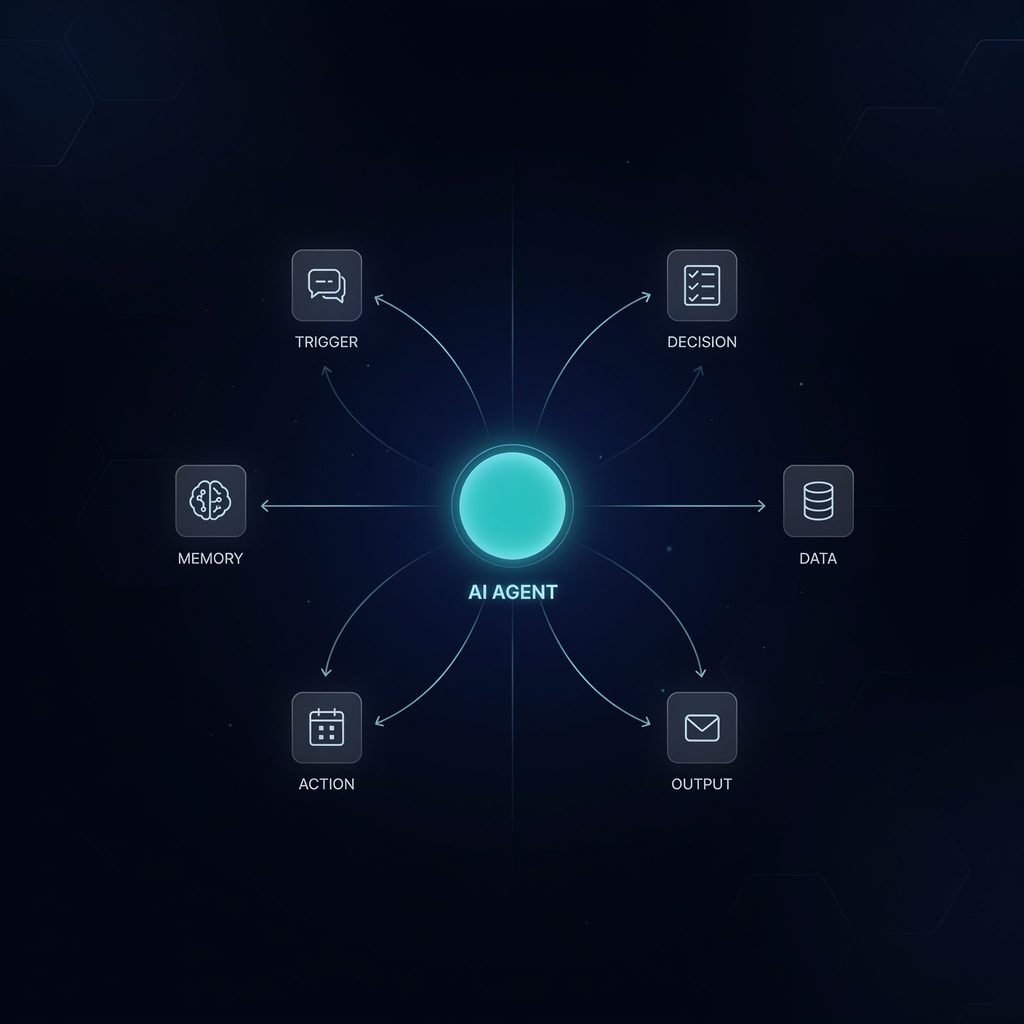
The pattern is that agents belong at the step where interpretation happens, not across the whole process. A well-built system is usually a deterministic workflow with one AI step in the middle — the same shape whether you build it in n8n, Zapier or anything else. Our walkthrough on creating workflows in n8n covers the deterministic scaffolding that surrounds the AI step.
What goes wrong with AI agents in small businesses?
Four failure modes account for most of the disappointment, and none of them are about model quality.
Silent wrongness. The model returns a confident, well-formatted, incorrect answer. There is no error, no alert, no failed run. This is the defining risk and the reason the “checkable output” condition is not negotiable.
Cost drift. An agent that decides its own steps can decide to take more of them. A task that cost pennies in testing can cost meaningfully more in production when the inputs get messier. Set a hard spend cap before you go live, not after.
Scope creep by the agent. Given tools and latitude, an agent will sometimes do the adjacent thing it was not asked to do — updating a record it should only have read. Give it the narrowest tool access that completes the job.
Nobody owns it. The most common failure has nothing to do with AI. Six months on, the person who built it has left, nobody knows what it does, and it is quietly wrong. This kills ordinary automations too, but agents are harder to audit because two runs of the same task do not look alike.
How do you deploy an agent without exposing the business?
Build it in this order. The sequence exists because each step catches a failure the next one would make expensive.
- Start with the workflow, not the agent. Automate the deterministic 80% first. You will often find the remaining 20% does not need an agent either.
- Give it read access before write access. Let it draft, classify and suggest for two weeks while a person acts on the output. You will learn its failure modes on your data, not on a vendor’s demo.
- Put a human in the loop at the money line. Anything that moves money, sends an external email, or changes a customer record gets reviewed until you have evidence it does not need to be.
- Log every run with its inputs and outputs. When something goes wrong at week nine you need to reconstruct what it saw. This is not optional with a system whose runs differ from each other.
- Cap the spend and alert on the cap. A runaway loop should cost you a notification, not a bill.
- Write down what it does and who owns it. Six months is long enough for everyone to forget.
If the agent is customer-facing, the review bar is higher again — our guides on chatbots for customer engagement and improving customer service with chatbots cover the conversational side, and everything there applies with more force once the system can act rather than only answer.
Is an “AI employee” a real thing?
Not in the sense the phrase implies. The marketing around AI employees describes something that takes a job description; what exists takes a task specification. That gap is where most disappointment lives.
The honest version is narrower and still valuable: an agent can absorb the bounded, repetitive, judgement-light portion of a role. It can read the inbox and sort it. It cannot decide which client relationship is worth saving.
The useful question is not “can this replace someone?” but “which two hours of this person’s day is nobody choosing to spend?” That framing produces projects that finish. The replacement framing produces projects that quietly get abandoned at month four.
Do you need an agent, or just a better workflow?
Apply one test: write the process down as if-then sentences. If you can do it without using the word “usually”, you need a workflow, not an agent — it will be cheaper to run, faster, easier to debug, and it will fail in a way you notice.
Most small business processes pass that test comfortably. Invoice routing, lead assignment, report assembly, and notification are all rule-based work wearing a complicated coat. Whether they run on Microsoft 365, Google Workspace, Gmail or something else changes nothing about that.
Where you cannot write the rule — where the input is a supplier’s idiosyncratic PDF, or a customer email that could mean four different things — that is your agent step. One step, inside a workflow, with its output checked. That is what a working AI system looks like in a business of ten people, and it looks far less impressive than the demos.
The short version
- An agent chooses its own steps; a workflow follows yours. Cost, speed and failure mode all follow from that difference.
- Use an agent only where the input varies too much for a rule, the output is checkable, and a wrong answer is visible rather than silent.
- Model costs are low — under $2 per thousand emails classified. The build, the supervision and the errors are the real spend.
- Match the model tier to the job; the top tier costs about five times the fastest and most tasks do not need it.
- Deploy read-only first, keep a human at the money line, log every run, and cap the spend.
- The realistic win is removing two hours of admin from a role, not removing the role.
What are AI agents, in plain terms?
An AI agent is a system where a language model decides what to do next and which tools to use, instead of running through steps you defined in advance. Ask it to reconcile last month's invoices and it chooses how — which records to pull, what to compare, when it is finished. A normal automation would follow the same fixed sequence every time.
What is the difference between an AI agent and a chatbot?
A chatbot answers; an agent acts. A chatbot for a small business replies to a customer question using text it was given. An agent can look up the order, issue the refund in your payment system and update the CRM record. The gap between them is tool access and permission, not conversational quality.
Can an AI agent replace an employee?
Not as a like-for-like swap, despite the 'AI employee' marketing. Agents are good at bounded tasks with clear inputs and a checkable result, and poor at judgement, relationships and anything needing accountability. The realistic outcome is removing two hours of daily admin from a role, not removing the role.
How much does it cost to run an AI agent?
Model usage is billed per token, and for classification-style work it is cheap: at Claude Haiku 4.5 rates of $1 per million input tokens and $5 per million output, reading and summarising a thousand emails costs under $2. The real costs are the build, the supervision and the errors — not the API bill.
Which business tasks are AI agents actually good at?
Tasks where the input is unstructured, the output is checkable, and a wrong answer is visible rather than silent. Reading varied supplier invoices, triaging inbound email by intent, and pulling figures out of inconsistent PDFs all qualify. Anything that is already rule-based should stay a fixed workflow — it is cheaper and it fails loudly.
Do I need an AI agent or just an automation?
If you can write the process as an if-then sentence without using the word 'usually', you need an automation, not an agent. Most small business processes pass that test. Add an agent only at the specific step where the input varies too much for a rule to hold.